
AI & Automation
AI Prompt Frameworks Cheat Sheet
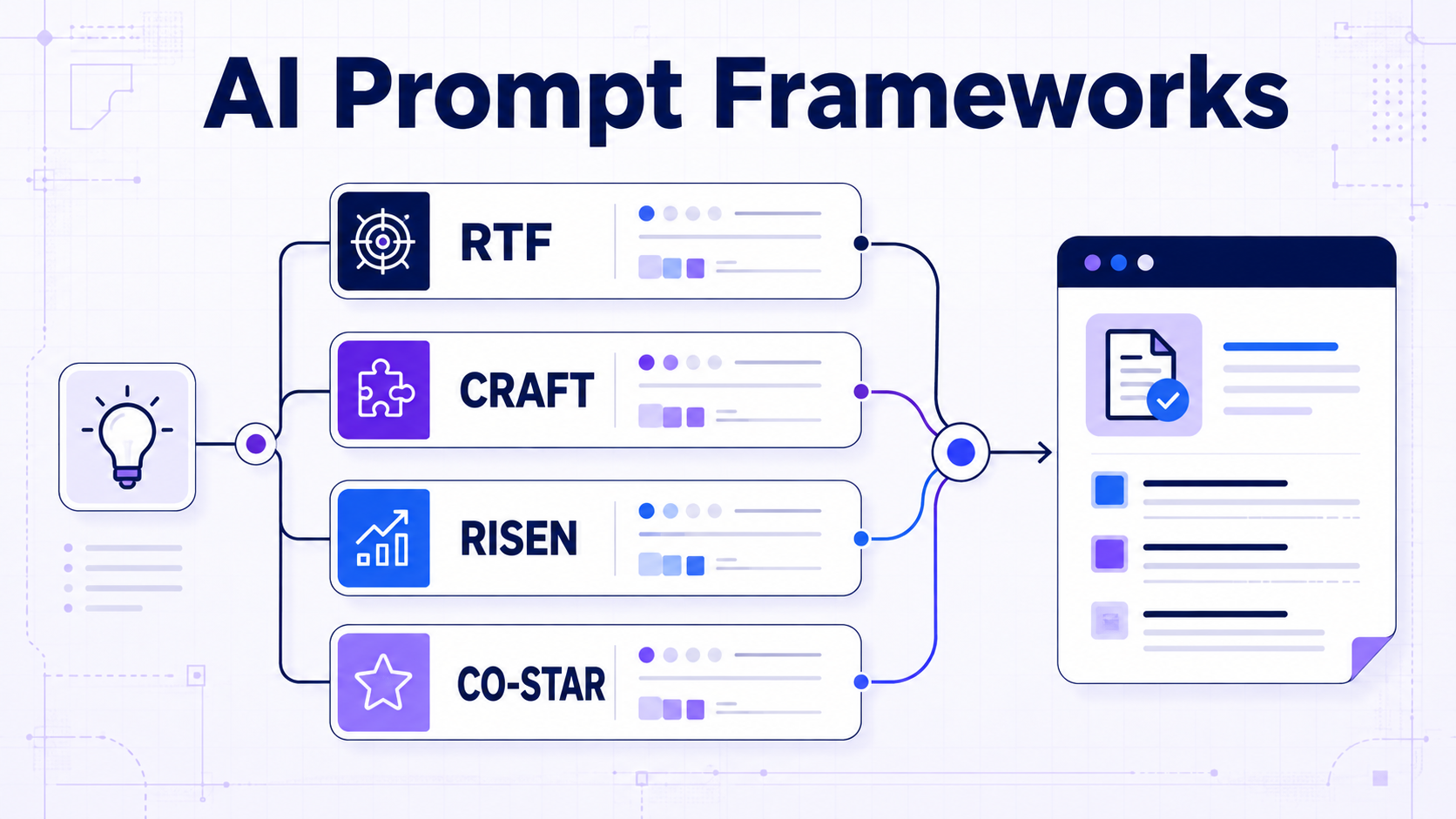
Compare practical AI prompt frameworks including RTF, TAG, CRAFT, CREATE, RISEN, and CO-STAR.
Learn what each framework includes, when to use it, where it falls short, and how to turn its structure into a clear prompt for ChatGPT, Claude, Gemini, and other AI tools.
- Side-by-side framework comparisons
- Copy-ready structures
- Practical worked examples
- Task-based selection guides
Find a framework
Search AI Prompt Frameworks
Search by framework name, task type, complexity, strength, or acronym.
Matching sections remain visible while unrelated framework sections are hidden.
Choose by task
AI Prompt Framework Selector
Start with the simplest framework that gives your task enough structure. Use the selector below to match the framework to the type and complexity of result you need.
Simple, direct request
Use when the task is clear and you mainly need control over the final format.
Choose RTFAction with a defined outcome
Use when the AI needs a clear task, required action, and measurable goal.
Choose TAGMove from a problem to a desired state
Use for persuasive writing, change narratives, and solution-focused messaging.
Choose BABClarify the expected result with an example
Use when context and a concrete example will make the desired output easier to follow.
Choose CAREProfessional task with clear expectations
Use for practical workplace requests that need role, action, context, and expectations.
Choose RACEPrecise output for a defined audience
Use when context, role, action, format, and target audience all affect the result.
Choose CRAFTContent with examples and detailed adjustments
Use when examples, output type, and additional requirements need separate fields.
Choose CREATEComplex, multi-step assignment
Use when the task requires ordered steps, a defined end goal, and narrow constraints.
Choose RISENAudience, style, and tone-sensitive content
Use when the response must closely match a particular audience and communication style.
Choose CO-STARSide-by-side comparison
Prompt Framework Comparison Table
Compare each framework by structure, ideal task type, complexity, and primary limitation before choosing one.
| Framework | Components | Best for | Complexity | Main limitation |
|---|---|---|---|---|
| RTF | Role, Task, Format | Fast, clearly defined requests | Low | Provides little space for context or constraints. |
| TAG | Task, Action, Goal | Outcome-focused instructions | Low | Does not explicitly define audience or output format. |
| BAB | Before, After, Bridge | Transformation and persuasive messaging | Low | Too narrow for many analytical or technical tasks. |
| CARE | Context, Action, Result, Example | Example-led practical requests | Medium | The example may overly influence the generated result. |
| RACE | Role, Action, Context, Expectations | Balanced professional tasks | Medium | Expectations can become vague without measurable criteria. |
| CRAFT | Context, Role, Action, Format, Target | Controlled content for a defined audience | Medium | Can feel excessive for short, straightforward tasks. |
| CREATE | Character, Request, Examples, Adjustments, Type, Extras | Reusable content and production briefs | High | Requires more preparation and a useful example. |
| RISEN | Role, Instructions, Steps, End goal, Narrowing | Complex, multi-step assignments | High | Detailed steps may constrain useful alternative approaches. |
| CO-STAR | Context, Objective, Style, Tone, Audience, Response | Audience-sensitive communication | High | Less suited to tasks where process and validation matter most. |
Fast framework · Low complexity
RTF Framework — Role, Task, Format
RTF is a compact framework for straightforward requests where the task is already clear and the main requirement is a predictable output format.
Role
Define the relevant perspective or area of expertise.
Task
State the exact action the AI should complete.
Format
Specify the structure, length, or fields of the response.
Best used for
- Short workplace requests
- Summaries and simple explanations
- Lists, tables, emails, and checklists
- Tasks with enough context already provided
Main limitation
RTF does not explicitly capture background context, audience, constraints, examples, or success criteria. Add those details when they materially affect the result.
Fill-in structure
RTF prompt framework template
Role: Act as [relevant role or perspective].

Task: [Describe the specific action to complete].

Format: Present the result as [format, length, and required fields].
Worked example
Turn meeting notes into an action summary
Role: Act as an experienced project coordinator.
Task: Turn the meeting notes below into a concise action summary.
Format: Use a table with columns for Task, Owner, Deadline, and Status.
Goal-focused framework · Low complexity
TAG Framework — Task, Action, Goal
TAG connects a specific task to the action the AI should perform and the outcome the response must help achieve.
Task
Identify the subject, problem, or assignment.
Action
State what the AI should create, evaluate, transform, or organize.
Goal
Define the practical outcome the completed response should support.
Best used for
- Action plans and prioritized recommendations
- Tasks with a clear business or learning objective
- Content created to produce a specific result
- Requests where the desired outcome matters more than persona
Main limitation
TAG does not explicitly define context, audience, constraints, or output format. A broad goal such as “make it better” also gives the AI very little measurable direction.
Fill-in structure
TAG prompt framework template
Task: [Describe the subject, problem, or assignment].

Action: [State the exact action the AI should perform].

Goal: [Define the result, decision, or outcome the response should support].
Worked example
Create a focused onboarding plan
Task: A new remote employee needs to understand our customer-support workflow.
Action: Create a five-day onboarding plan with one learning objective and one practical exercise per day.
Goal: Enable the employee to handle a standard support ticket independently by the end of the week.
Transformation framework · Low complexity
BAB Framework — Before, After, Bridge
BAB structures a message around the reader’s current problem, the desired future state, and the practical bridge connecting the two.
Before
Describe the current situation, frustration, or unresolved problem.
After
Show the improved situation or result the audience wants.
Bridge
Explain how the product, action, or solution creates that change.
Best used for
- Landing-page and email copy
- Product benefits and customer outcomes
- Change communication
- Case-study and transformation narratives
Main limitation
BAB is a messaging structure rather than a general-purpose task framework. It is poorly suited to neutral research, data extraction, coding, or instructions that do not involve a transformation.
Fill-in structure
BAB prompt framework template
Before: [Describe the audience’s current problem or situation].

After: [Describe the realistic result or improved future state].

Bridge: [Explain how the proposed solution moves the audience from Before to After].

Create: [Specify the message, format, tone, and length].
Worked example
Explain the value of a reporting dashboard
Before: Team leaders spend several hours each week combining figures from separate spreadsheets and still discover reporting errors.
After: They can view current performance in one place and prepare the weekly review in minutes.
Bridge: Our reporting dashboard connects the existing data sources, applies consistent calculations, and updates the key metrics automatically.
Create: Write a concise landing-page introduction in a credible, benefit-focused tone. Avoid exaggerated claims.
Example-led framework · Medium complexity
CARE Framework — Context, Action, Result, Example
CARE combines background information with a specific action, a defined result, and an example that demonstrates the expected direction.
Context
Provide the background and circumstances that affect the task.
Action
State the exact work the AI should perform.
Result
Define the qualities or outcome the final response should achieve.
Example
Show a short reference pattern that illustrates the intended result.
Best used for
- Tasks where style or structure is difficult to describe
- Repeatable workplace deliverables
- Classification and transformation tasks
- Outputs that must follow an established pattern
Main limitation
The AI may copy superficial details from the example too closely. Demonstrate the required pattern, but clearly identify which parts should change in the new result.
Fill-in structure
CARE prompt framework template
Context: [Provide the relevant background, audience, and situation].

Action: [State the exact action the AI should perform].

Result: [Define the required outcome, qualities, or success criteria].

Example: [Provide a short example of the desired pattern or direction].
Worked example
Convert technical updates into customer notes
Context: Our software release notes are written by developers, but customers need a concise explanation of what changed and why it matters.
Action: Rewrite each technical update as a customer-facing release note.
Result: Use plain language, preserve factual details, and limit each note to two sentences.
Example: “You can now export filtered reports as CSV files, making it easier to analyze only the records relevant to your current project.”
Balanced framework · Medium complexity
RACE Framework — Role, Action, Context, Expectations
RACE balances expertise, task direction, background information, and clear expectations without requiring a long multi-step prompt.
Role
Define the relevant professional perspective or responsibility.
Action
State the specific work the AI should complete.
Context
Provide the background, inputs, constraints, and intended audience.
Expectations
Define the required format, quality, scope, and success criteria.
Best used for
- Professional analysis and recommendations
- Reports, briefs, and workplace documents
- Tasks requiring context but not detailed process steps
- Outputs with measurable quality requirements
Main limitation
The Expectations field can become a collection of vague wishes. Define observable requirements such as length, structure, evidence, exclusions, or the decision the response must support.
Fill-in structure
RACE prompt framework template
Role: Act as [relevant professional perspective].

Action: [State the exact work to complete].

Context: [Provide background, input, audience, and constraints].

Expectations: [Define format, scope, quality criteria, and exclusions].
Worked example
Evaluate a proposed software migration
Role: Act as a technology operations analyst.
Action: Evaluate the proposed migration from our current project-management system to the new platform.
Context: The team has 35 users, five active integrations, limited migration support, and a six-week implementation window.
Expectations: Present benefits, costs, dependencies, and risks in a table. End with a recommendation and the conditions that could change it.
Audience-focused framework · Medium complexity
CRAFT Framework — Context, Role, Action, Format, Target
CRAFT connects the task to its background, professional perspective, required output structure, and intended audience.
Context
Explain the situation, purpose, source material, and constraints.
Role
Define the perspective most relevant to completing the task.
Action
State the precise work the AI should perform.
Format
Specify the structure, length, sections, or required fields.
Target
Define the audience, knowledge level, and intended response.
Best used for
- Audience-specific articles and explanations
- Professional reports and communication
- Content with a required structure
- Tasks where context and audience both affect the answer
Main limitation
CRAFT controls the final response well but does not explicitly describe execution steps, examples, or an end-state transformation. It may be unnecessarily detailed for simple requests.
Fill-in structure
CRAFT prompt framework template
Context: [Describe the background, purpose, and constraints].

Role: Act as [relevant role or professional perspective].

Action: [State the exact work the AI should complete].

Format: [Define structure, length, sections, and required fields].

Target: [Describe the audience, knowledge level, and desired response].
Worked example
Explain a policy change to managers
Context: Our company is introducing a revised remote-work policy next month. Managers need to communicate the change consistently without interpreting rules that are not stated.
Role: Act as an internal communications specialist.
Action: Turn the supplied policy notes into a manager briefing.
Format: Use sections for What Changes, What Stays the Same, Manager Actions, and Employee Questions. Keep it under 500 words.
Target: Department managers who need practical guidance and clear boundaries.
Production framework · High complexity
CREATE Framework — Character, Request, Examples, Adjustments, Type, Extras
CREATE is a detailed production framework for tasks that benefit from a defined perspective, reference examples, output type, and separate adjustment requirements.
Character
Define the relevant perspective, responsibility, or expertise.
Request
State the primary task and the result you need.
Examples
Provide reference patterns that demonstrate the desired direction.
Adjustments
Specify tone, complexity, emphasis, exclusions, or other refinements.
Type
Define the output type, structure, length, and delivery format.
Extras
Add final checks, optional variants, or task-specific requirements.
Best used for
- Reusable content-production briefs
- Tasks requiring reference examples
- Outputs with several independent requirements
- Team workflows that need a consistent prompt structure
Main limitation
CREATE takes longer to prepare and can overconstrain simple tasks. Examples may also cause the AI to imitate surface wording instead of applying the underlying pattern.
Fill-in structure
CREATE prompt framework template
Character: Act as [relevant perspective or responsibility].

Request: [State the primary task and intended result].

Examples: [Provide a short reference pattern or example].

Adjustments: [Define tone, emphasis, exclusions, and refinements].

Type: [Specify output type, structure, length, and format].

Extras: [Add final checks, variants, or task-specific requirements].
Worked example
Create a reusable product-update brief
Character: Act as a B2B product communications editor.
Request: Turn the supplied feature notes into a customer-facing product update.
Examples: Follow this pattern: problem addressed → what changed → practical customer benefit.
Adjustments: Use a clear professional tone, avoid hype, and do not introduce claims absent from the notes.
Type: Create a headline, a 100-word announcement, and three concise benefit bullets.
Extras: Finish with a checklist confirming that all names, dates, and feature details match the source.
Multi-step framework · High complexity
RISEN Framework — Role, Instructions, Steps, End Goal, Narrowing
RISEN is designed for complex assignments that require clear instructions, an ordered workflow, a defined end goal, and explicit boundaries.
Role
Define the relevant responsibility or professional perspective.
Instructions
Describe the assignment and the work that must be completed.
Steps
Specify the required workflow, stages, or output sequence.
End Goal
Define the final decision, deliverable, or practical outcome.
Narrowing
Set scope, exclusions, constraints, priorities, and limits.
Best used for
- Complex planning and implementation tasks
- Multi-stage research and analysis
- Assignments with strict scope boundaries
- Deliverables requiring a defined workflow
Main limitation
Detailed steps can prevent the AI from finding a better route to the goal. Specify mandatory stages only when their order or inclusion truly matters.
Fill-in structure
RISEN prompt framework template
Role: Act as [relevant responsibility or perspective].

Instructions: [Describe the complete assignment and supplied inputs].

Steps:
1. [Required stage or output step]
2. [Required stage or output step]
3. [Required stage or output step]

End Goal: [Define the final deliverable, decision, or outcome].

Narrowing: [Set scope, priorities, exclusions, constraints, and limits].
Worked example
Develop a phased software rollout plan
Role: Act as a software implementation planner responsible for operational continuity.
Instructions: Create a rollout plan for introducing the new customer-support platform to 60 employees across three teams.
Steps: First identify dependencies and readiness requirements. Then divide implementation into pilot, training, migration, and full-release phases. Finally define validation and rollback checkpoints.
End Goal: Produce a plan management can use to approve timing, ownership, and risk controls.
Narrowing: Use a six-week window, retain the existing platform during the pilot, and do not assume additional staff or budget.
Communication framework · High complexity
CO-STAR Framework — Context, Objective, Style, Tone, Audience, Response
CO-STAR provides detailed control over communication by separating the message objective from its writing style, emotional tone, audience, and final response format.
Context
Provide the background, situation, source information, and constraints.
Objective
Define what the response must communicate or accomplish.
Style
Specify how the content should be written and organized.
Tone
Define the attitude or emotional quality of the message.
Audience
Describe the readers, their knowledge, needs, and likely concerns.
Response
Specify the final format, length, sections, and required elements.
Best used for
- Audience-sensitive business communication
- Brand and campaign messaging
- Stakeholder updates and announcements
- Content where style and tone need separate control
Main limitation
CO-STAR emphasizes communication quality rather than execution process, evidence, or validation. It can also become repetitive when Style and Tone are not clearly distinguished.
Fill-in structure
CO-STAR prompt framework template
Context: [Describe the background, situation, and source information].

Objective: [Define what the response should communicate or achieve].

Style: [Specify the writing approach and organization].

Tone: [Define the attitude or emotional quality].

Audience: [Describe the readers, knowledge level, and concerns].

Response: [Specify the final format, length, sections, and required elements].
Worked example
Announce a delayed product release
Context: A software release planned for 12 August has moved to 26 August because final accessibility testing needs more time.
Objective: Inform customers clearly, preserve trust, and explain what happens next without minimizing the delay.
Style: Use concise customer-update language with the key information first.
Tone: Transparent, responsible, and reassuring without sounding defensive.
Audience: Existing customers who were preparing to use the new feature this month.
Response: Write a subject line, a 150-word email, and three brief FAQ answers.
Choose by writing task
Best Prompt Framework for Writing Tasks
The best writing framework depends on whether the task prioritizes speed, transformation, audience control, examples, or a repeatable production brief.
| Writing task | Recommended framework | Why it fits | Choose another when |
|---|---|---|---|
| Short email or message | RTF | Quickly defines perspective, task, and final format. | Use CO-STAR when audience reaction and tone require finer control. |
| Persuasive landing-page section | BAB | Structures the message around a credible transformation. | Use CRAFT when audience and format matter more than transformation. |
| Content matching a reference pattern | CARE | Uses an example to demonstrate the intended direction. | Use CREATE when several adjustments and final checks are also required. |
| Audience-specific article | CRAFT | Connects context, action, format, and target reader. | Use CO-STAR when style and emotional tone need separate fields. |
| Reusable content brief | CREATE | Separates examples, adjustments, output type, and final requirements. | Use RTF when the task is simple and will not be reused. |
| Brand-sensitive announcement | CO-STAR | Provides precise control over objective, style, tone, audience, and response. | Use RACE when analysis and expectations matter more than brand voice. |
| Professional report or briefing | RACE | Balances role, action, context, and measurable expectations. | Use RISEN when the report requires a mandatory multi-stage workflow. |
| Complex editorial assignment | RISEN | Defines required stages, the end deliverable, and scope boundaries. | Use CREATE when examples and production specifications are more important than steps. |
Choose by business task
Best Prompt Framework for Business and Strategy
Business tasks require different levels of context, decision support, workflow control, and stakeholder communication. Match the framework to the deliverable rather than using one structure for every request.
| Business task | Recommended framework | Why it fits | Choose another when |
|---|---|---|---|
| Short action plan | TAG | Connects a defined assignment to an action and practical outcome. | Use RISEN when implementation requires several mandatory stages. |
| Business recommendation | RACE | Provides role, analysis direction, context, and decision criteria. | Use CRAFT when audience and final presentation need more control. |
| Implementation roadmap | RISEN | Defines workflow stages, end goal, constraints, and scope. | Use TAG when only a short high-level plan is needed. |
| Executive briefing | CRAFT | Adapts analysis and format for a specific decision-making audience. | Use RACE when evaluation criteria matter more than audience adaptation. |
| Stakeholder announcement | CO-STAR | Separates message objective, style, tone, audience, and response format. | Use RTF for routine messages with little reputational sensitivity. |
| Change or transformation narrative | BAB | Shows the current problem, desired future state, and path between them. | Use RISEN when the task is to plan the change rather than explain it. |
| Repeatable strategic brief | CREATE | Supports reference examples, adjustments, deliverable types, and final checks. | Use RACE for a one-time analysis with fewer production requirements. |
| Simple structured summary | RTF | Produces a fast result when the role, task, and format are sufficient. | Use CRAFT when the summary must be adapted for a particular audience. |
Use-case guide
Best Prompt Framework for Research and Analysis
Choose a framework based on the depth of the research, the intended output, and how much control the analysis requires.
| Research task | Recommended framework | Why it fits |
|---|---|---|
| Quick source summary | RTF | Defines the analytical role, summarization task, and required output format without unnecessary complexity. |
| Focused research question | TAG | Connects a specific research task with the action to perform and the decision or outcome it should support. |
| Analysis based on supplied examples | CARE | Combines context and analytical action with an expected result and a reference example. |
| Balanced evidence review | RACE | Clarifies the analyst’s role, the evidence to examine, the surrounding context, and the evaluation criteria. |
| Audience-specific research brief | CRAFT | Aligns the analysis with a defined audience, purpose, format, and level of detail. |
| Reusable research workflow | CREATE | Supports examples, adjustments, output type, and additional rules for research tasks that will be repeated. |
| Multi-stage research project | RISEN | Organizes detailed instructions, sequential research steps, the end goal, and clear boundaries. |
| Communicating research findings | CO-STAR | Adapts the findings to the objective, audience, style, tone, and required response format. |
Use-case guide
Best Prompt Framework for Coding
Match the framework to the complexity of the programming task, from quick code generation to debugging and multi-step implementation.
| Coding task | Recommended framework | Why it fits |
|---|---|---|
| Generate a small code snippet | RTF | Defines the programming role, coding task, and required output format with minimal setup. |
| Build a focused feature | TAG | Connects the implementation task to a specific action and a clear functional goal. |
| Follow an existing code pattern | CARE | Uses context and an example to help the AI match an established structure, convention, or coding style. |
| Debug an error | RACE | Provides the AI’s role, the debugging action, relevant technical context, and the expected explanation or fix. |
| Create code for a specific user or system | CRAFT | Adds the target environment, intended user, output format, and implementation constraints. |
| Repeat a development workflow | CREATE | Supports reference examples, coding standards, adjustments, output types, and reusable project rules. |
| Plan a multi-step implementation | RISEN | Breaks a complex development task into ordered steps with a defined end goal and clear technical boundaries. |
| Explain code for a specific audience | CO-STAR | Adjusts the explanation’s objective, style, tone, audience, and response format. |
Use-case guide
Best Prompt Framework for Learning
Select a framework based on whether you need a quick explanation, guided practice, personalized instruction, or a complete learning plan.
| Learning task | Recommended framework | Why it fits |
|---|---|---|
| Explain a concept quickly | RTF | Defines the teaching role, topic, and preferred explanation format without adding unnecessary complexity. |
| Reach a specific learning goal | TAG | Connects the learning task and teaching action to a clear outcome the learner should achieve. |
| Learn through worked examples | CARE | Combines context, instruction, the desired result, and an example that demonstrates the expected reasoning or method. |
| Receive feedback on an answer | RACE | Establishes the tutor’s role, the feedback action, the learner’s context, and clear evaluation expectations. |
| Create a personalized lesson | CRAFT | Adapts the content, teaching role, activity, format, and difficulty to a defined learner. |
| Build reusable study activities | CREATE | Supports examples, difficulty adjustments, activity types, and additional rules for repeatable practice. |
| Design a complete learning plan | RISEN | Organizes lessons into sequential steps with a defined end goal, scope, and learning boundaries. |
| Teach a particular audience | CO-STAR | Controls the objective, teaching style, tone, learner profile, and response format. |
Framework depth
Short vs Detailed Prompt Frameworks
Short frameworks are faster to use, while detailed frameworks provide more control over complex tasks, constraints, and output requirements.
| Framework depth | Frameworks | Best for | Trade-off |
|---|---|---|---|
| Short | RTF, TAG, BAB | Quick requests, familiar tasks, simple outputs, and rapid experimentation. | Faster to write, but provides less room for detailed context and constraints. |
| Medium-detail | CARE, RACE, CRAFT | Professional writing, analysis, planning, feedback, and audience-specific responses. | Balances speed and control, but still requires carefully chosen information. |
| Detailed | CREATE, RISEN, CO-STAR | Complex workflows, multi-step projects, reusable instructions, and tightly controlled communication. | Offers greater precision, but takes longer to prepare and can become restrictive if overloaded. |
Selection process
How to Choose a Prompt Framework
Choose according to the information the task requires—not according to which acronym is longest or most popular.
| Ask yourself | If the answer is yes | Consider |
|---|---|---|
| Is this a simple, familiar task? | Use a lightweight structure with minimal setup. | RTF or TAG |
| Does the response need to show transformation or change? | Define the current state, desired state, and route between them. | BAB |
| Would an example clarify the expected result? | Include a reference example alongside the task and outcome. | CARE |
| Do you need explicit evaluation criteria? | State the role, context, action, and expectations. | RACE |
| Must the output suit a specific audience? | Define the target reader together with the format and action. | CRAFT |
| Will you reuse and adjust the prompt? | Use a structure that accommodates examples and configurable rules. | CREATE |
| Does the task require several ordered steps? | Describe the process, end goal, and boundaries explicitly. | RISEN |
| Are style, tone, and communication important? | Control how the response is presented to its intended audience. | CO-STAR |
Framework customization
How to Adapt a Prompt Framework
Treat a framework as a flexible checklist. Keep the elements that improve the task, remove irrelevant fields, and add missing information when necessary.
| Adaptation | When to use it | How to apply it |
|---|---|---|
| Simplify | The task is straightforward or already has sufficient context. | Remove framework fields that repeat information or do not affect the expected result. |
| Expand | The response is too general or misses important requirements. | Add relevant context, constraints, examples, success criteria, or output details. |
| Reorder | The most important instruction is being overlooked. | Place the task and critical requirements earlier while keeping the prompt easy to scan. |
| Replace a field | A framework label does not fit the actual task. | Substitute it with a more useful field, such as replacing “Example” with “Evaluation criteria.” |
| Combine frameworks | One framework covers the task but lacks an essential control. | Start with one primary framework and borrow only the missing element from another. |
| Create a reusable version | The same type of task will be performed repeatedly. | Replace changing information with clear placeholders such as [AUDIENCE], [GOAL], [INPUT], and [OUTPUT FORMAT]. |
| Test and refine | The structure appears complete but produces inconsistent results. | Change one element at a time and compare whether the revision improves relevance, clarity, and usability. |
Avoid common errors
Common Prompt Framework Mistakes
A framework improves organization only when its fields contain clear, relevant, and compatible instructions.
| Mistake | Why it causes problems | Better approach |
|---|---|---|
| Choosing the longest framework | Additional fields can introduce unnecessary instructions and distract from a simple task. | Use the shortest framework that captures the essential information. |
| Filling every field mechanically | Irrelevant details make the prompt longer without improving the expected result. | Remove or replace fields that do not contribute to the task. |
| Using vague instructions | Labels such as “good,” “detailed,” or “professional” can be interpreted in many ways. | Describe the intended audience, purpose, scope, and observable characteristics of the output. |
| Adding conflicting requirements | Instructions such as “be comprehensive” and “use no more than three sentences” may compete with each other. | Prioritize requirements and clarify which instruction matters most. |
| Providing context without a clear task | The AI may summarize the background instead of performing the intended action. | State the requested action and desired result explicitly. |
| Assuming examples are always instructions | The AI may copy details from an example that were not intended as requirements. | Explain which features of the example should be followed and which should not. |
| Combining too many frameworks | Overlapping fields create repetition and can make priorities difficult to identify. | Use one primary framework and borrow only a genuinely missing element. |
| Treating structure as fact-checking | A well-organized prompt can still produce inaccurate or outdated information. | Verify important claims and request sources, uncertainty labels, or supporting evidence when appropriate. |
Questions and answers
AI Prompt Frameworks FAQ
Quick answers to common questions about choosing, combining, and adapting AI prompt frameworks.
What is an AI prompt framework?
An AI prompt framework is a structured checklist for organizing the information in a prompt. It can help define elements such as the role, task, context, goal, audience, steps, and expected output.
Which prompt framework is best for beginners?
RTF is a practical starting point because it requires only three elements: Role, Task, and Format. TAG is another simple option when the desired goal is more important than the output format.
What is the best prompt framework for ChatGPT?
There is no single framework that is best for every ChatGPT task. RTF works well for simple requests, while frameworks such as CRAFT, RISEN, and CO-STAR provide more control for complex or audience-specific responses.
Do prompt framework acronyms have fixed definitions?
Not always. Prompt framework names and individual letters can vary between guides and organizations. What matters most is using a clear, consistent definition and including information relevant to the current task.
Can I combine two prompt frameworks?
Yes, but use one framework as the primary structure. Add only a missing element from another framework, such as an example, evaluation criteria, or audience definition. Combining entire frameworks often creates unnecessary repetition.
Should every framework field be included?
No. A framework is a flexible guide rather than a mandatory form. Remove fields that do not affect the task and add information that improves clarity, accuracy, or usability.
Do detailed prompt frameworks always produce better results?
No. Detailed frameworks can help with complex tasks, but excessive instructions may introduce conflicts or distract from the main goal. Simple tasks usually benefit from a shorter structure.
Can a prompt framework prevent inaccurate AI answers?
No. A framework can improve organization and clarify expectations, but it cannot guarantee factual accuracy. Important claims should still be checked against reliable and current sources.
How do I turn a framework into a reusable prompt?
Replace information that changes with descriptive placeholders such as [ROLE], [TASK], [AUDIENCE], [INPUT], [CONSTRAINTS], and [OUTPUT FORMAT]. Keep permanent instructions only when they apply to every future use.